iPhone Users: Discover the Latest Enhancements in Apple’s iOS 26.2 for
iPhone Users: Apple has just launched the iOS 26.2 software update, bringing a fresh set of improvements and new capabilities to compatible iPhone models. This release follows the major overhaul introduced earlier in the year and focuses on refining the user experience with practical additions across various apps and system features. From better personalization options to enhanced safety notifications, this update aims to make daily interactions smoother and more intuitive for millions of users worldwide.
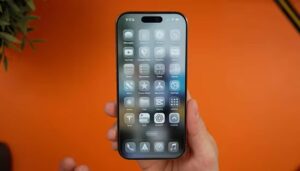
Steps to Download and Install the iOS 26.2 Update
Getting the new software on your device is straightforward. Most iPhones that support the current operating system will receive a notification when the update is ready. To check manually and proceed:
Head to the Settings application. Scroll down and select General, then tap on Software Update. Your phone will automatically search for available downloads. If the iOS 26.2 version appears, choose Download and Install. You’ll need to agree to the terms, and it’s best to connect to Wi-Fi and have sufficient battery life. The process might involve a couple of restarts, so plan accordingly to avoid interruptions.

This method works for devices that have been part of recent beta testing or are running the previous stable version. Keeping your iPhone updated ensures access to the newest security patches and performance tweaks.
Key Changes in Apple Music Experience
Music lovers will appreciate the tweaks in the streaming app. One noticeable addition is the prominent placement of the Favorite Songs playlist right in the main browsing area, making it easier to jump into personalized tracks. Another handy improvement allows downloading song lyrics directly to your device. This means you can read along even in areas without network coverage, perfect for travels or spots with spotty signals.
These adjustments build on existing tools, helping users engage more deeply with their libraries without relying constantly on data connections.
Refined Lock Screen Personalization Options
The signature translucent design elements get more flexibility with this release. Users can now adjust the transparency level specifically for the time display on the lock screen. Sliding between clearer views and more frosted appearances lets everyone tailor the look to their preference, whether they want bold visibility or a subtler blend with wallpapers.
This control adds another layer to the overall aesthetic customization introduced recently, allowing for a more personalized front-facing interface.
Introducing Enhanced Emergency Notifications
Safety gets a boost through new alert systems designed to warn about potential dangers. These notifications can highlight risks such as severe weather events or other urgent situations, providing details like affected zones on maps and quick access to helpful resources. Currently rolled out in select regions, this tool aims to keep users informed proactively during critical moments.
Upgraded Task Management with Reminders
Staying organized becomes easier with the ability to attach alarms to important tasks. Marking something as priority triggers a timed reminder, complete with options to postpone if needed. Integration with on-screen activities ensures you won’t miss key deadlines, blending seamlessly into your workflow.
Improved Privacy in File Sharing via AirDrop
Transferring files to new contacts now includes an extra confirmation step. A unique code appears that must be entered on both devices, adding security when sharing outside your known circle. This helps prevent accidental or unauthorized transfers in crowded environments.
Smarter Navigation in Podcasts
Listening to episodes feels more efficient thanks to auto-generated sections that break down content into logical parts. Jumping to specific topics is simpler, and the app now detects references to other shows, offering direct links to explore them without searching manually. Relevant external resources mentioned in discussions also appear conveniently.
Better Organization in the Games Application
Gaming enthusiasts benefit from new sorting tools that filter titles by genre, file size, or other criteria. Real-time score updates for challenges appear prominently, and compatibility with popular external controllers has been optimized for smoother play.
Additional Accessibility and Home Integration Tweaks
Visual alerts can now include screen flashes for notifications, aiding those who rely on non-audio cues. News feeds gain quicker access points, and setting up multiple smart home accessories uses streamlined codes for faster pairing.
Overall, iOS 26.2 delivers a collection of thoughtful refinements that enhance everyday usability across entertainment, productivity, and safety features. These changes demonstrate ongoing efforts to polish the mobile experience, making devices more adaptable to individual needs. With over a dozen small but impactful additions, this update encourages users to explore and integrate the new tools into their routines for a more seamless interaction.